Create approval request for extension
On this page, you will find step-by-step instructions for creating an approval request to extend a trial in STC:
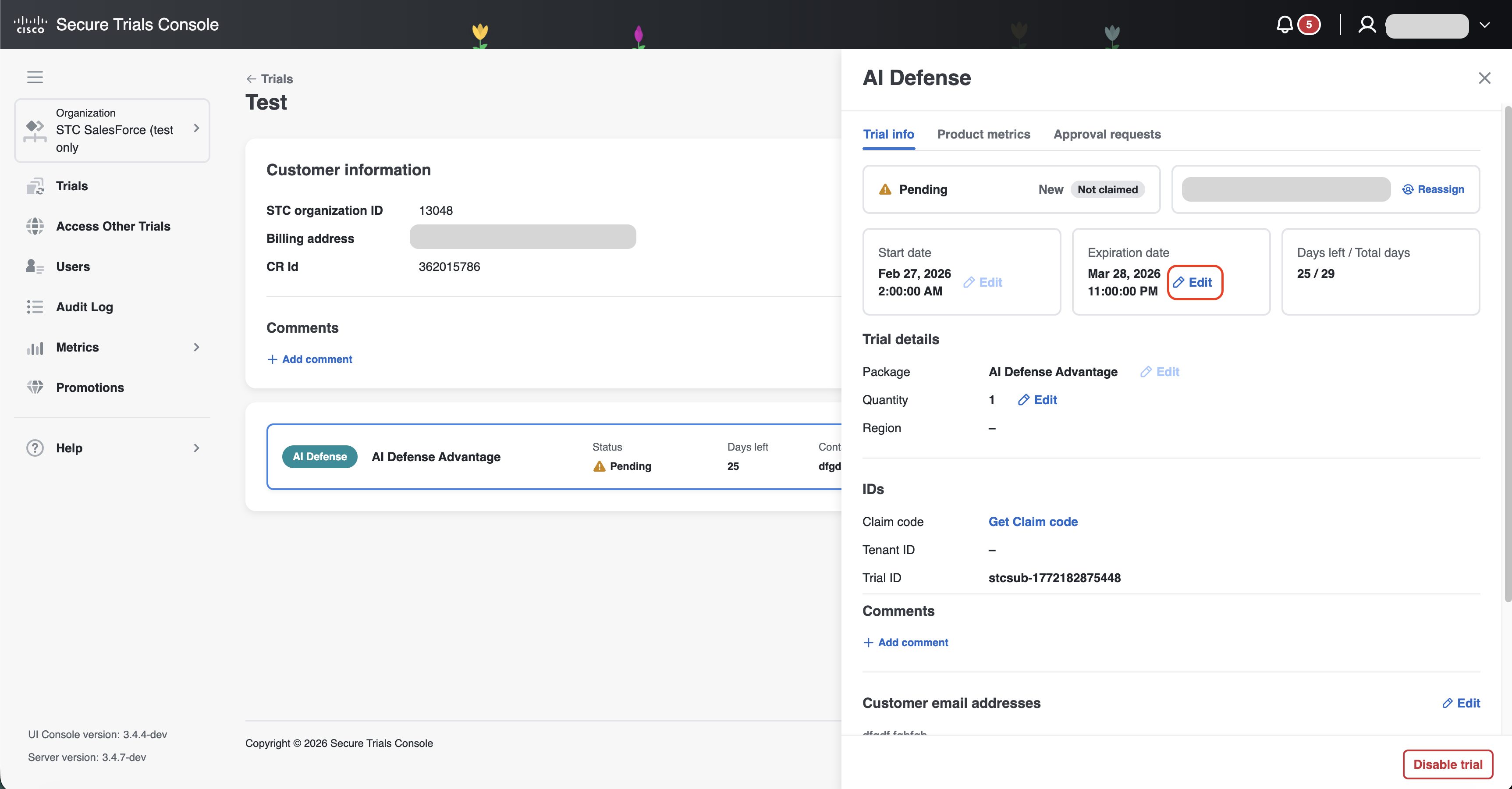
Go to trial info page and click "Edit" button near expiration date;
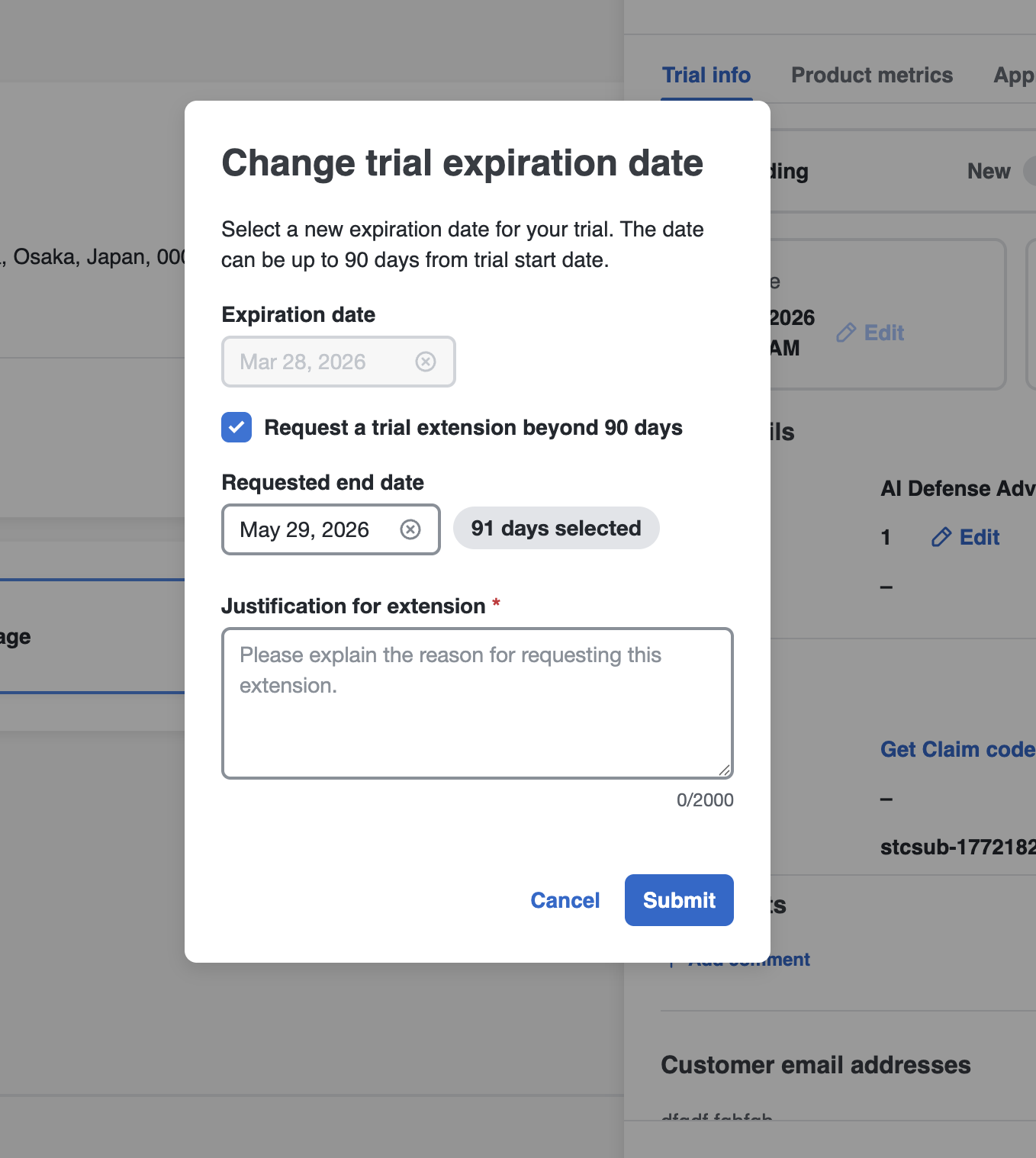
Click "Request trial extension beyond 90 days";
-
Select new end date;
-
Provide justification;
-
Click "Submit"
-
After submission, the seller will receive an email confirming that the approval request has been created. You can track the status of your request or make changes to it in the Approval Requests tab.