Extend trial
Umbrella and Secure Endpoint
For Umbrella and Secure Endpoint you can extend a trial only one time for 14 days using "Extend trial" button. In the trial record, you can see for how many days a trial can be extended.
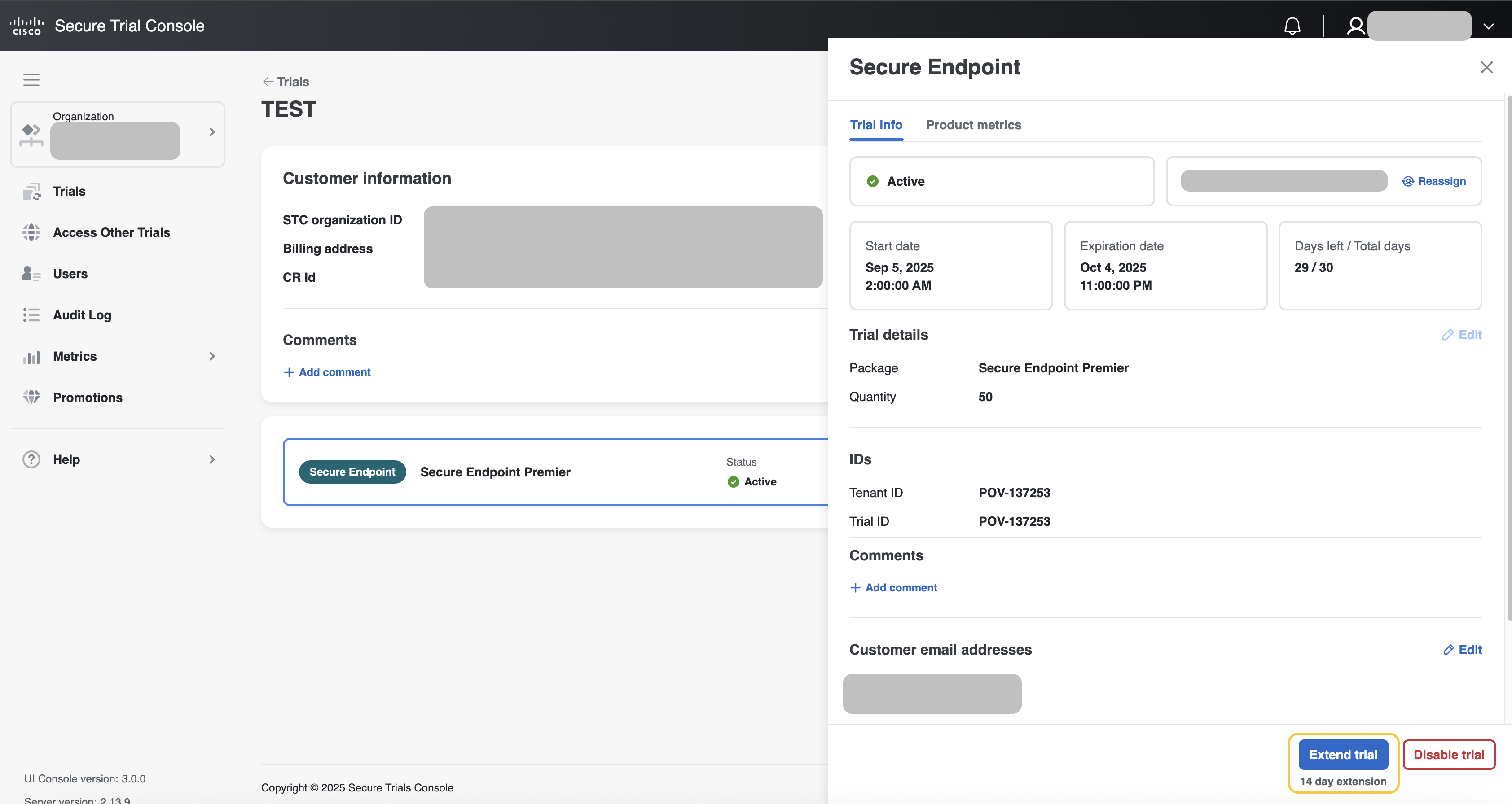
-
Go to the Trials tab and use the available filtering parameters to find a trial.
-
Select the desired trial to open the trail record.
-
In the product section, select Extend trial
Other products
For the remaining products in the STC, users can modify the trial duration and start date by editing the trial’s start and end dates, see in image below.
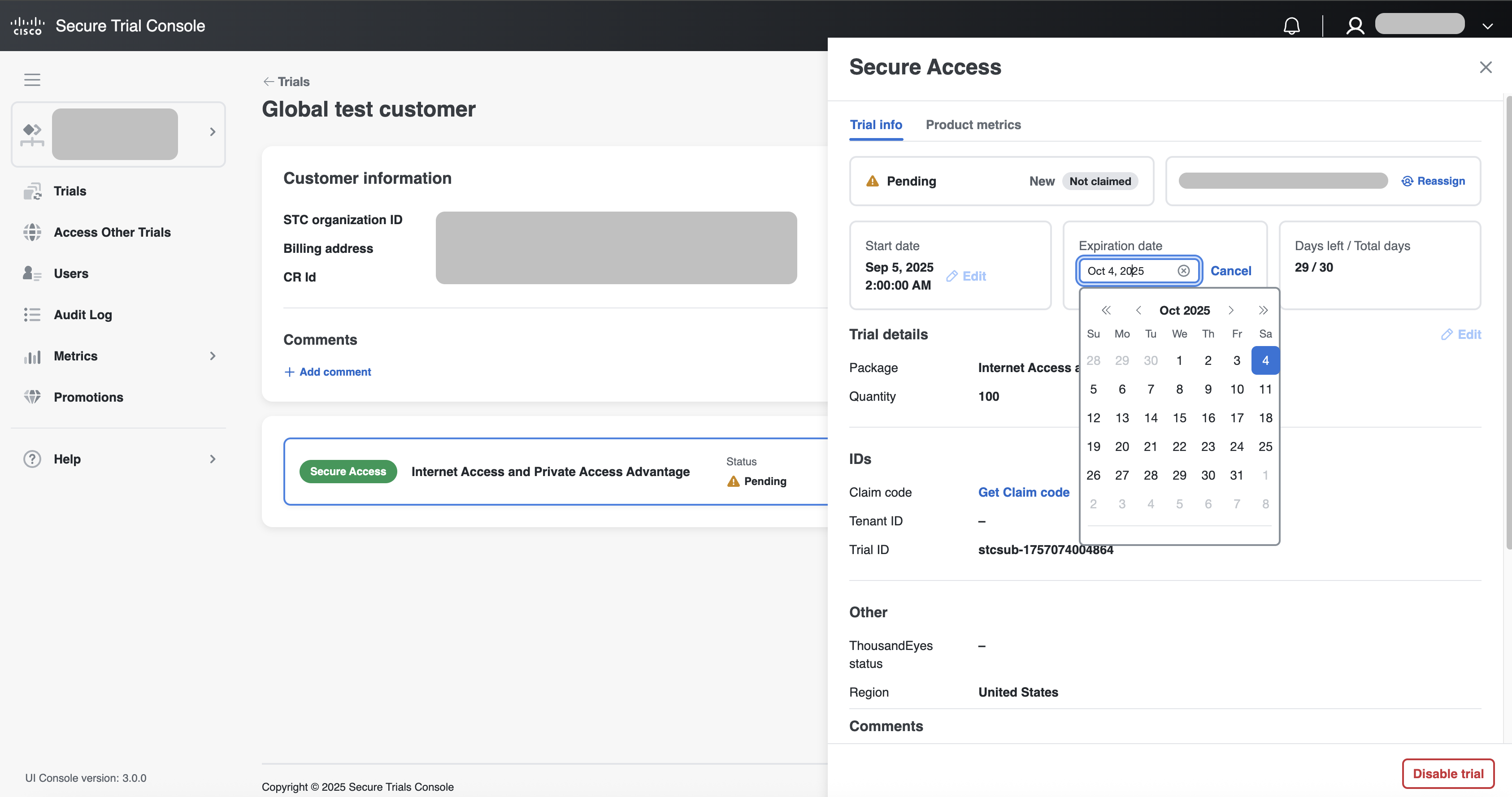
Note | Start date can only be changed while trial is Status: Pending, and Start date is a future date |
-
Go to the Trials tab and use the available filtering parameters to find a trial.
-
Select the desired trial to open the trail record.
-
Below status click Edit near date that you want to edit
Note | If the seller needs to extend the trial for more than 90 days, they can create an approval request for the extension. See the approval flow to Create approval request for extension. |